Make Your Own
Drag one dot across a pad: calm to energetic, dark to bright. Slide between songs you love and new to you, tick a few decades and genres, press Play. Dial finds the songs in your library that fit.
Side A · for Jellyfin · C-90
Mixtapes from your own record collection.
Dial is a music player for the library on your Jellyfin server, built natively for iPhone, iPad, Mac, Android and Android TV. Every night its server plugin makes you a fresh stack of tapes from what you actually play, the way a friend used to.
Track 01 · The mixtapes
While you sleep, the Dial plugin goes through your play counts, favourites and history and records a set of mixtapes for you. Songs you heard in the last three days get a rest. Songs you loved and forgot come back first. Nothing is picked from a chart.
Daily Mix 1 to 4One tape for each of your top genres.
On RepeatWhat you keep coming back to this month.
RewindLoved once, not heard in months.
Deep CutsSongs you never played, by artists you love.
Time CapsuleYour favourite decade, every song on its albums.
Make Your OwnA blank tape. You set the feel, Dial fills it.
Drag one dot across a pad: calm to energetic, dark to bright. Slide between songs you love and new to you, tick a few decades and genres, press Play. Dial finds the songs in your library that fit.
Every decade and genre in your library is a station of its own. Pick the 70s and you get every song from every album of the decade, in a cover that looks the part.
Track 02 · The Jellyfin plugin
The Dial plugin runs inside Jellyfin. It does the heavy work once a night, keeps the results on your server, and hands them to every device the moment you open the app. Your phone, your Mac and your TV all show the same tapes.
New From Your Artists: releases from the artists you play most, minus the albums you already have. Fans Also Play: who the fans of your top artists listen to. On Tour: upcoming shows on a month-by-month timeline, if you add a free Ticketmaster key.
Track 03 · The apps
No web wrapper, no one-size-fits-all. Each app is written for its platform and behaves like it belongs there.
iOS · iPadOS · macOS
SwiftUI. Lock screen and Control Center, AirPlay, and the Mac app through Catalyst.
Android
Kotlin and Jetpack Compose, with Material 3 and the system media controls.
Android TV
Built for the remote and the big screen, sharing the Android app’s library and player.
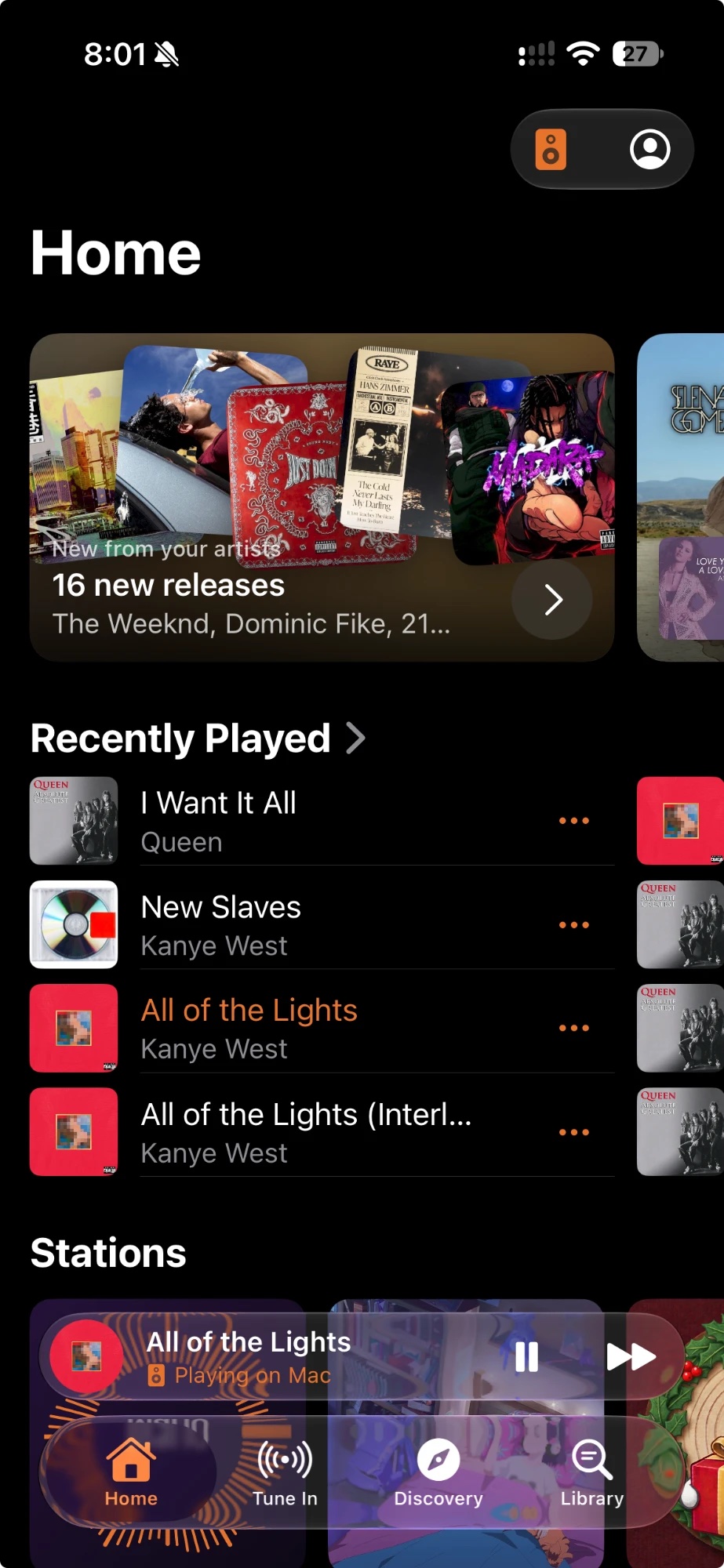
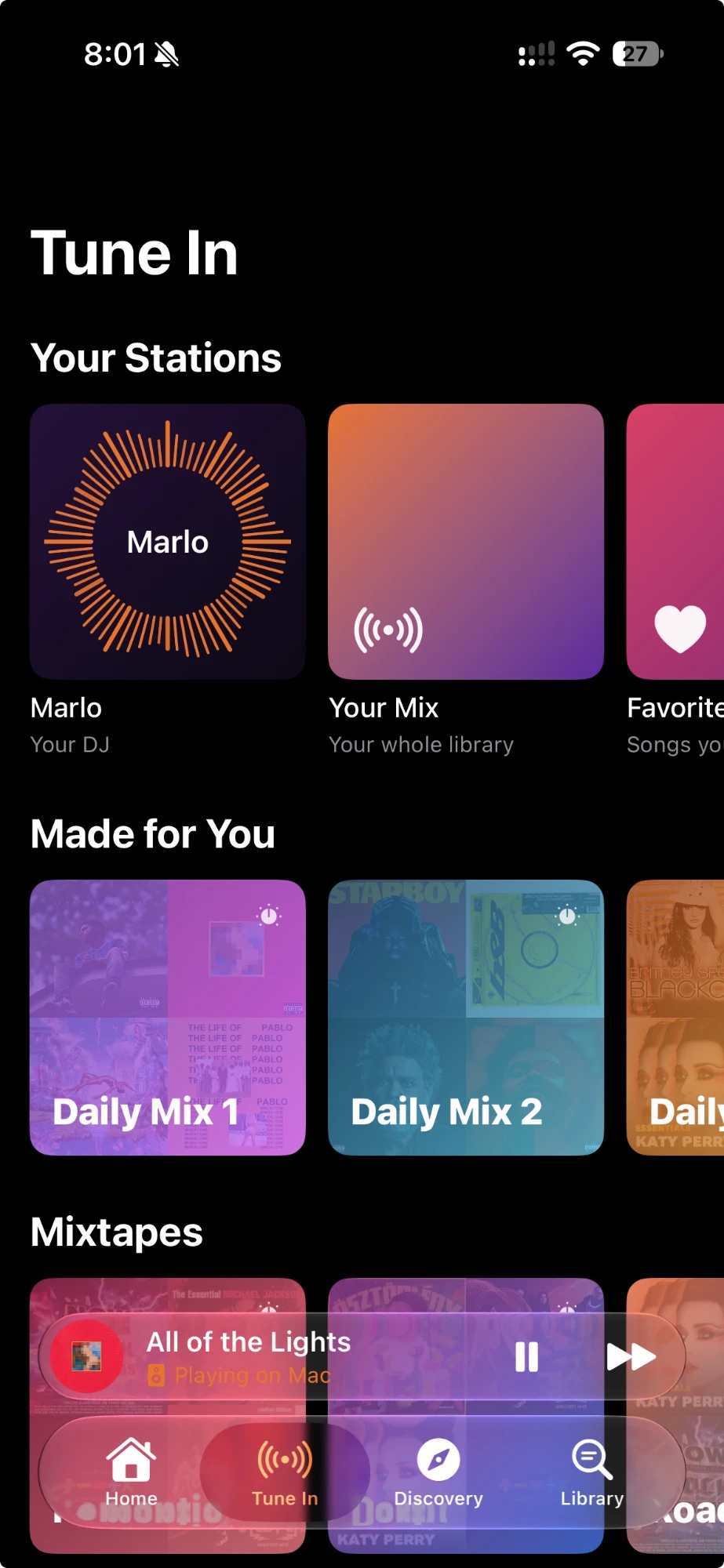
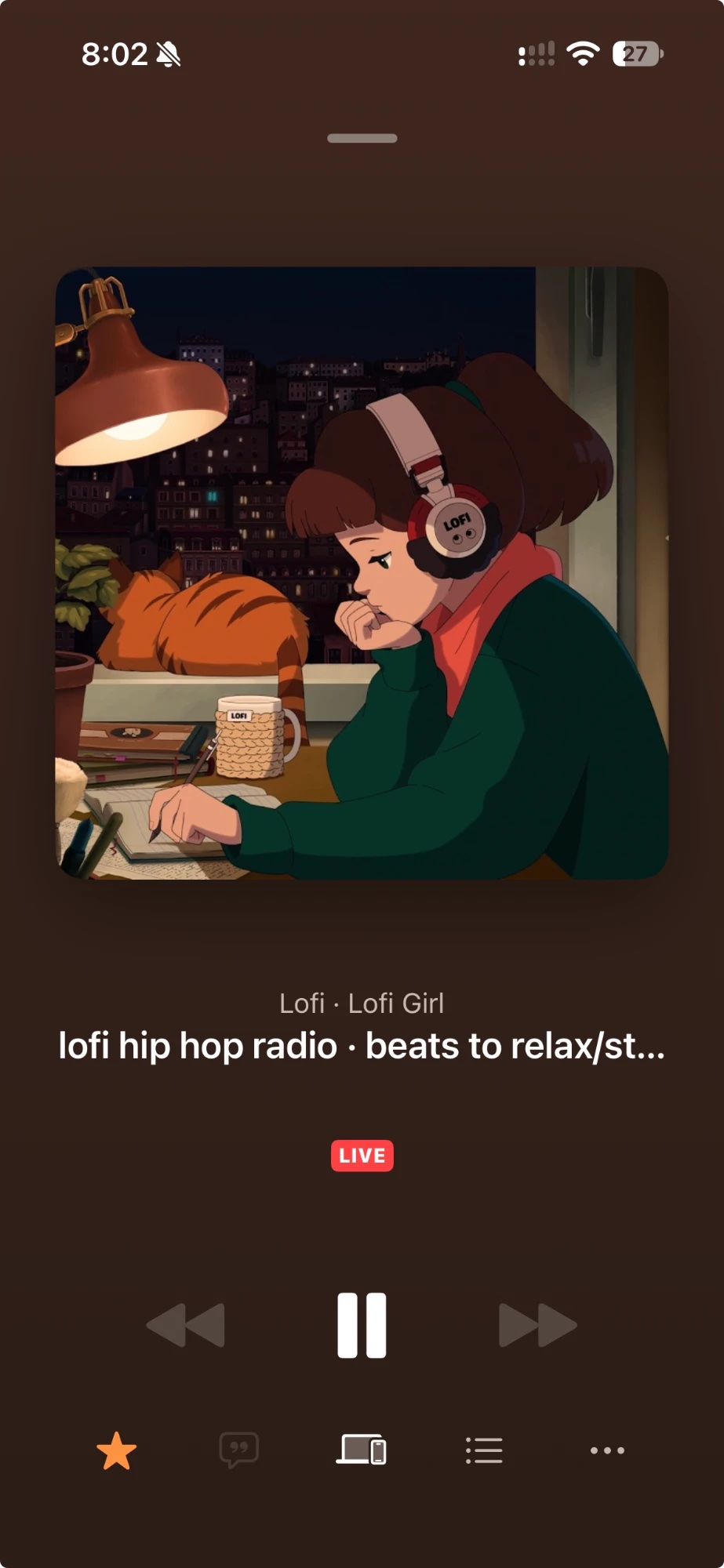
Shown on iPhone.
Track 04 · Bring your collection
Dial is for music you own. Ripping CDs, capturing records and tapes, and tagging them properly is what makes the mixtapes and Discovery so good.
cover.jpg.Track 05 · Get started
Free and open source. Add your music folder as a Music library.
Plus the helpers you want: MusicBrainz, Playback Reporting, AudioMuse AI. Each one unlocks something, and the status page shows what is missing.
Enter your server address, sign in or approve a Quick Connect code, and play.
No Dial account, no analytics. Your play history and library never leave your server. The plugin only sends artist IDs to MusicBrainz, ListenBrainz and Wikidata, and artist names to Ticketmaster if you add a key.
Source available under the PolyForm Noncommercial licence. The apps, the plugin and the guides are all in one repository. Read it, build it for yourself, send a fix; selling it is not allowed.
Yes. Dial has no music of its own. If you can open Jellyfin in a browser, you can use Dial.
For the mixtapes and Discovery, yes. Without it those two parts are hidden and everything else works.
The plugin is built for Jellyfin 12.
No. It adds mood mixes and searching by sound. Without it, genres and decades still work.
Whatever your server serves. FLAC and other lossless files play as stored, and Dial can ask the server for a 320 or 128 kbps stream when you want a smaller one.
No. It is independent software that works with Jellyfin.